Getz EMP for fleets
Your fleet. Your charging costs. Under control.
Your drivers charge in DriEv. Getz EMP sets the rules and records spend: it checks every company-paid start against your rules and the account’s credit limit, and closes the month on one statement per account with a CSV for finance. Your charger operator runs the hardware.
How it works, in figures
- 5 checks
- before every company-paid start
- Sites · hours · kWh
- company-pays rules per fleet
- 1 statement
- per corporate account, per month
- ZAR
- rand accounts, with South African VAT on every receipt
Why fleet charging is hard to control
Apply charging rules before a session starts
An electric fleet charges at the depot, on public networks and at drivers’ homes. Each place produces its own bill, and none of them knows your company’s rules until the claims arrive.
| Capability | Without a charging platform | With Getz EMP |
|---|---|---|
| Where the rules are applied | After the fact, when expense claims are checked | At the start of every company-paid session |
| What finance receives | Card slips and claims, often without kWh or site | A monthly statement per account and a CSV of every charge |
| Spending ceiling | A card limit per driver, if any | A credit limit per corporate account, checked with each session’s estimate |
| Home charging | A flat allowance or a mileage estimate | Measured sessions, approved, then reimbursed |
| Who sees what | Shared spreadsheets | Each fleet manager sees only their own fleet |
The back office
Where your fleet manager works
Real screens from the back office, captured with fictional demo data.
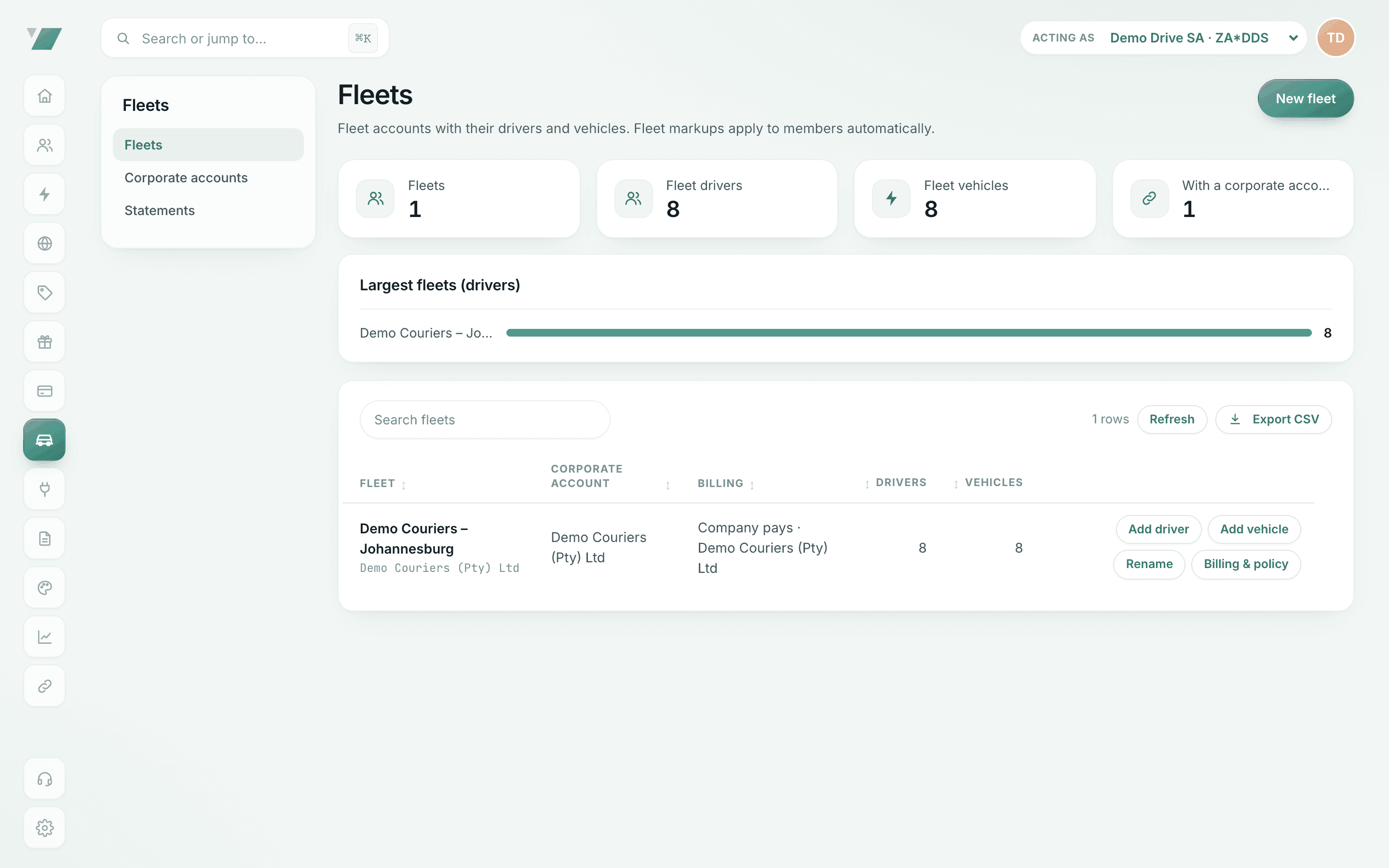
Fleets, drivers and vehicles
One fleet per depot, region or department, with who pays and the corporate account it bills to.
- What you see: drivers, vehicles and who pays per fleet
- Why it matters: one place to run a fleet’s charging
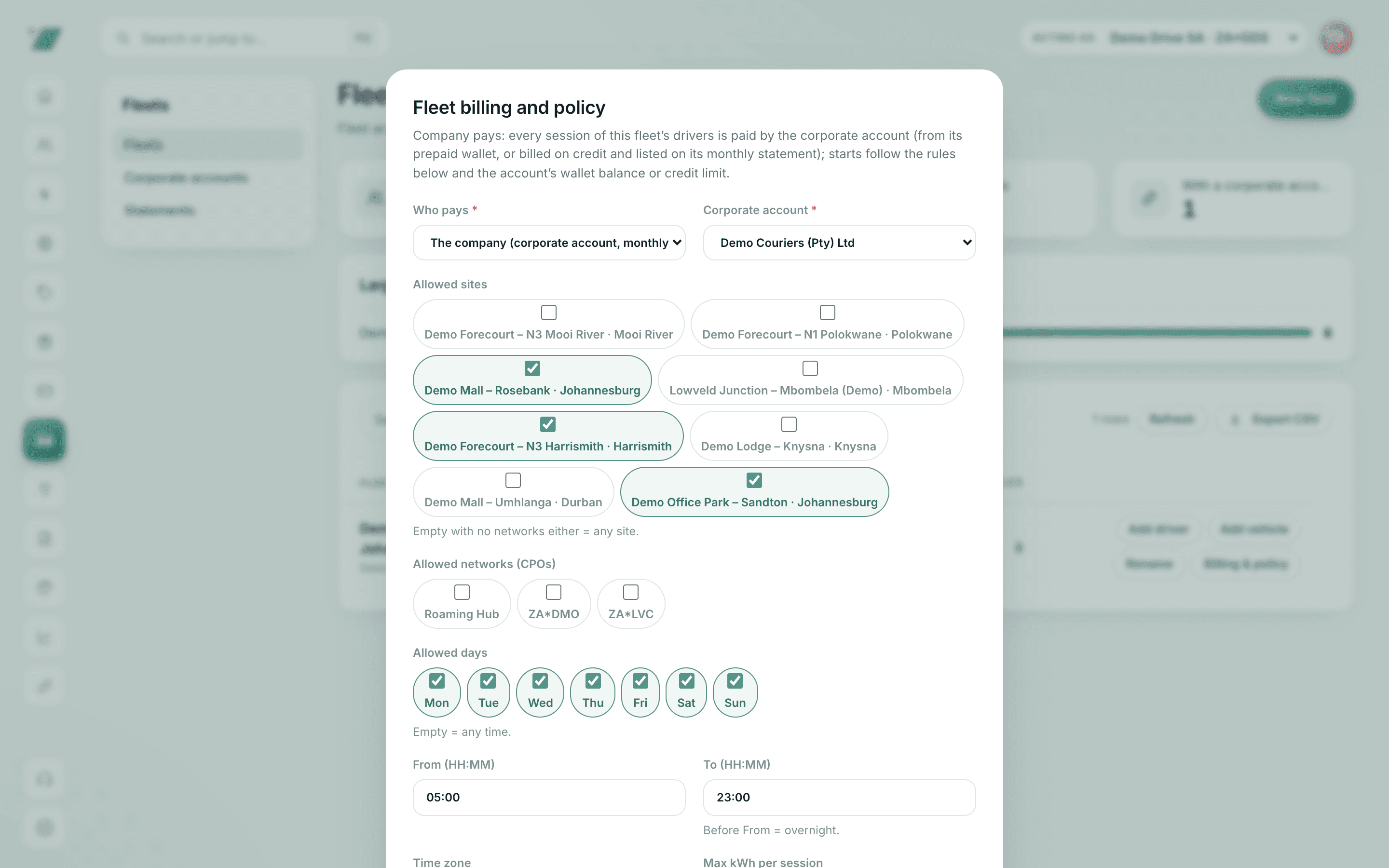
The company-pays rules
Allowed sites and networks, days, hours, time zone and a kWh cap per session. Empty means unrestricted.
- What you see: allowed sites, hours and a per-session limit
- Why it matters: spend stays inside policy without approving every charge
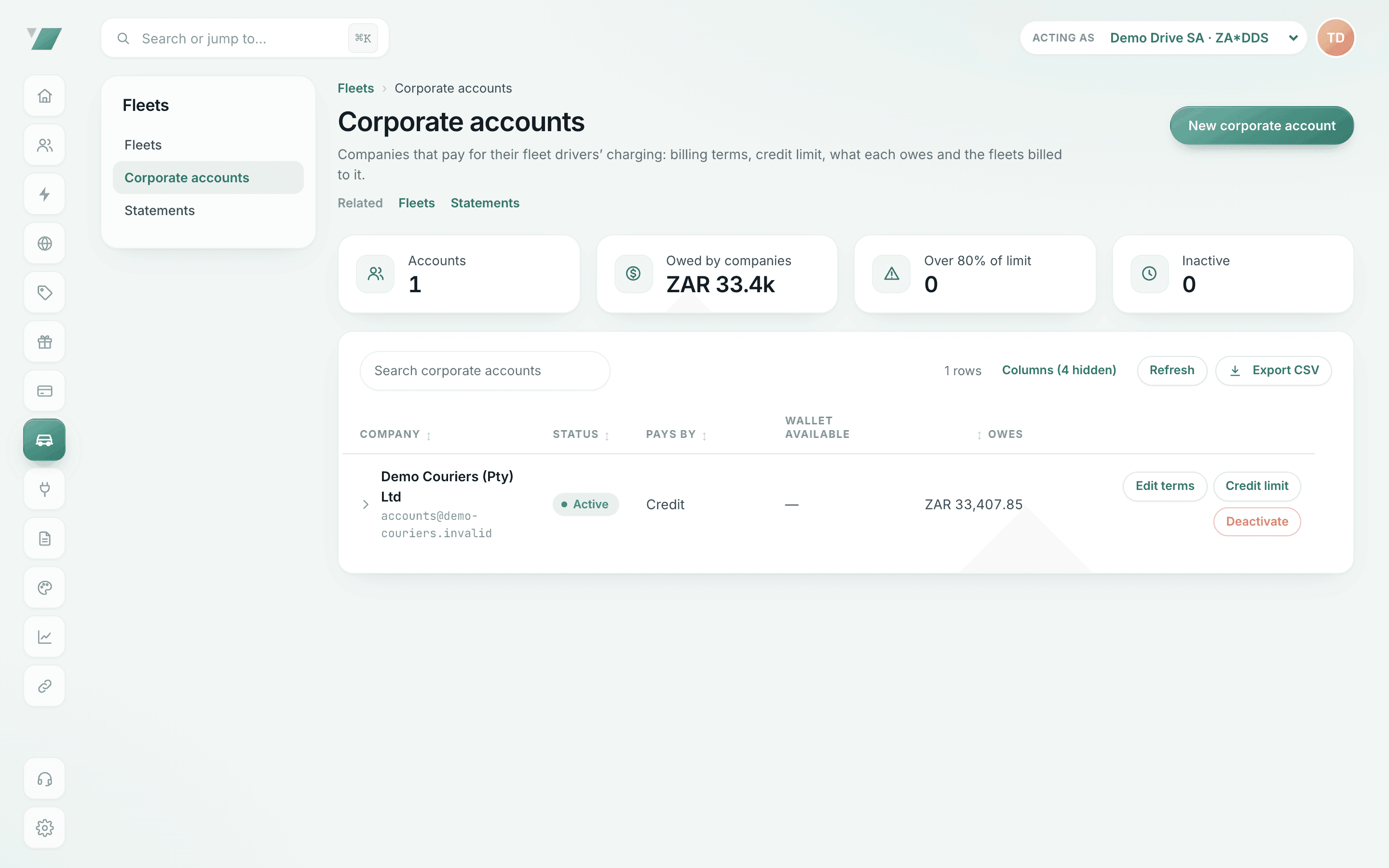
Corporate accounts and credit limits
What each company owes in rand, its credit limit and payment terms, and which accounts are above 80% of their limit.
- What you see: what each company owes in its currency
- Why it matters: monthly statements instead of expense claims
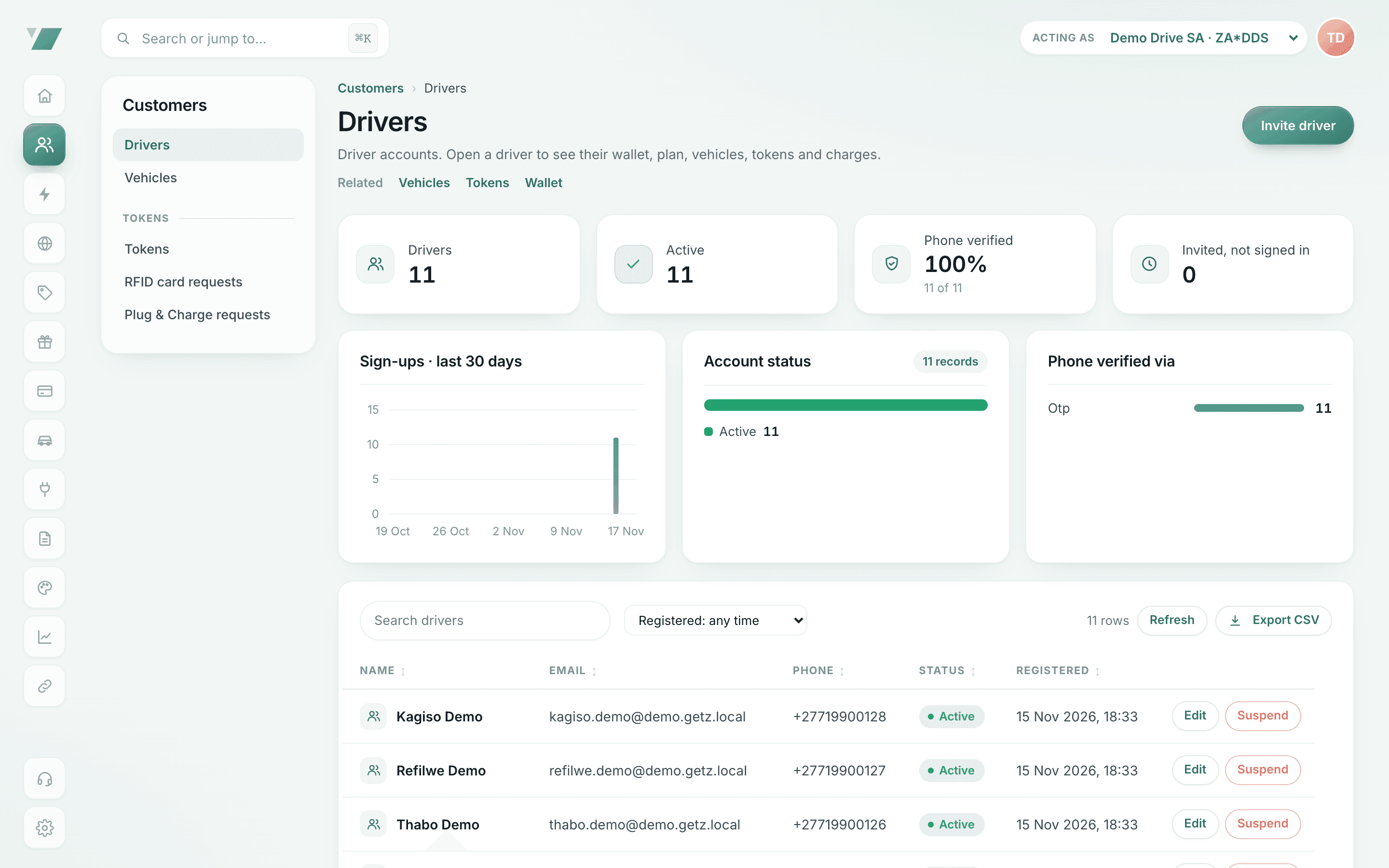
Driver accounts
Every driver with their vehicles, tokens, wallet and charges, and who was invited but has not signed in.
- What you see: driver accounts and their status
- Why it matters: support and finance work from the same record
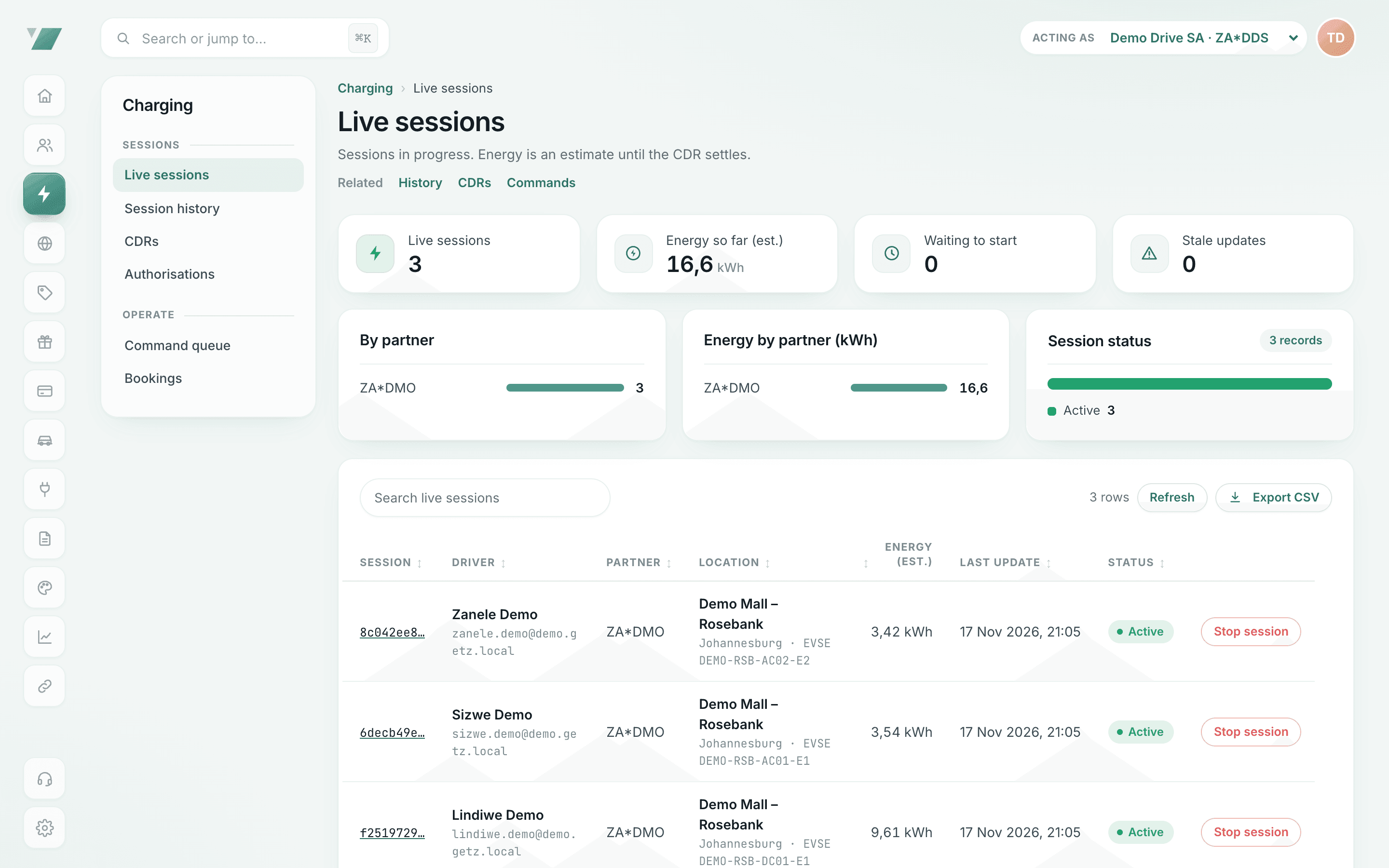
Who is charging now
Live sessions with site, driver and energy so far.
- What you see: who is charging where, right now
- Why it matters: support can see and stop a session in one place
What you control
Every control, in one place
What each control does, from the first start check to the month-end statement.
| Capability | What it does |
|---|---|
| Company-pays rules | Allowed sites or networks, charging hours and a kWh cap per session, per fleet |
| Credit limits | What the account owes plus the session’s estimate must stay within the limit |
| Drivers, vehicles and invitations | Invite by phone or e-mail; drivers join by accepting; managers see only their fleet |
| Monthly statements and finance CSV | One statement per corporate account; every charge, payment and refund in a period as CSV |
| Home-charging reimbursement | Measured home sessions, approval, then payment into the driver’s wallet |
| Wallet holds | For driver-paid charging: the estimated cost is reserved before the start, the rest released after |
| RFID cards and Autocharge | Cards per driver or vehicle, blocked when lost; Autocharge starts on plug-in where car and charger support it |
| Depot and public charging through Getz Hub | Your depot sites and connected public networks under one policy and one statement |
| Fleet webhooks | Signed session and billing events into your dispatch, telematics or finance tools |
Charging spend control
Every company-paid start is checked before it begins
The first check that fails decides, and the driver sees the reason in the app before anything starts. Try the checks in the panel below.
Step 1: Account active
A paused corporate account refuses company-paid starts.
Step 2: Same currency
The charger must bill in the account’s currency, so limits are never mixed.
Step 3: Allowed site
The charger must be on the policy’s sites or networks.
Step 4: Allowed hours
Now must fall inside a charging window.
Step 5: Credit limit
What is owed plus this estimate must stay within the limit.
A fleet driver taps “Start”: what Getz EMP checks
Change the conditions to see the decision. The checks run in this order, and the first one that fails decides.
Start allowed: billed to the company
- Who pays is fixed now, when the session starts, not when the bill is worked out.
- The session is stopped automatically when it reaches the policy’s kWh limit.
- The rated charge is posted to the corporate account and appears on that month’s statement.
Month-end
Close the month on one statement
Company-paid charges post to the corporate account as each operator’s charge record is rated. At month end, issue the account’s statement and export the period as a CSV for your accounting system. Every line traces back to a session, a receipt with VAT and the charge record behind it.
Statements are account statements, not tax invoices. Each charge has its own itemised receipt in rand with VAT at 15%.
- Monthly statement per corporate account
- Finance CSV: every charge, payment and refund in a period
- Itemised receipts with VAT for every charge
Corporate accounts carry the billing terms and the balance of company-paid charging.
- What you see: what each company owes in its currency
- Why it matters: monthly statements instead of expense claims
Evaluate it on two records
One refused start and one statement line
Two things a fleet buyer can check in the demonstration: what a driver sees when a company-paid start is refused, and how one charge appears at month end. Your fleet managers see only company-paid charging, never a driver’s personal or home sessions.
| Capability | A refused start | A statement line |
|---|---|---|
| What it says | “<Your company> does not allow company charging at this site.” Outside the allowed hours, the message says so instead. | The date, driver, site, the operator’s session reference, kWh, net, VAT and total of one company-paid charge |
| The money check | A start that would take the account over its credit limit is refused with the account named | What the account owes, with company payments recorded by your finance team |
| Where it is kept | In the back office under Charging › Authorisations, with the reason; the driver is told in the app | Numbered from your sequence (ST-year-month-number), with CSV and PDF |
| What ties it back | The card or driver, the site and the time | The charge id, its tax invoice number, the operator’s record id, the ledger entries and any credit note |
| Who acts | Dispatch sends the driver to an approved site; finance raises the credit limit if needed | Finance checks it against the finance CSV; a correction credits the company on the next statement |
Depot plus public charging
Your depot and the public networks, on one policy
Most fleets charge mainly at a depot or office and top up on the route. When your depot sites are published through Getz Hub, they sit on the fleet’s allowed list next to the public networks you approve, and every session lands on the same statement. Private sites stay private: the operator decides who may charge there, and Getz EMP keeps them out of the app.
- Charging network access through Getz Hub over OCPI
- Every start authorised in real time: driver, token, policy, payment
Every driver session in progress, across the charging networks the eMSP roams on.
- What you see: who is charging where, right now
- Why it matters: support can see and stop a session in one place
Home charging and driver access
Take-home vehicles, shared vans and private charging, kept apart
Home charging, reimbursed from measured sessions
Home sessions carry the energy the charger reported; finance records them at the agreed rate and approves, and approved amounts are paid into the driver’s wallet.
RFID cards and Autocharge
A card per driver or per shared vehicle; block a lost card from the back office.
Private charging stays private
Who pays is fixed when a session starts. A driver’s own wallet and cards are used only for their own charging.
By operation
Set up for the way your vehicles work
Logistics and last-mile delivery
One fleet per depot, shift windows, kWh caps and RFID cards for shared vans.
Mining and industrial
Company charging on approved private sites, night shifts and a record of every session.
Corporate fleets
Company cars and pool vehicles on one corporate account and one statement.
Ride-hailing, rental and leasing
Company-paid or driver-paid per fleet, and a cost-per-km calculator for your own figures.
Employers
A home-charging benefit for staff, with a record behind every reimbursement.
Fleet electrification
Bring the first electric vehicles in under clear rules, then scale on measured cost.
Coming soon for fleet reporting
Next for the month-end.
- Coming soon
Cost centres for allocating fleet charging inside a company
Allocate charging to the cost centres your finance team already uses.
- Coming soon
Fleet emissions reports from measured charging energy and published grid factors
Emissions reports built from the measured kWh on every session.
Questions fleet buyers ask
What does Getz EMP include for a fleet?
Company-pays rules, credit limits, driver and vehicle management, RFID cards, monthly statements with a finance CSV and home-charging reimbursement. For driver-paid charging: wallet holds and card, SnapScan and Zapper payments. Depot and public charging come together through Getz Hub.
Do we need public chargers to start?
No. Many fleets start with depot, office or home charging. Depot chargers are run by their charge point operator, and public networks connected through Getz Hub sit on the same policy.
Are fleet statements tax invoices?
No. A monthly statement is an account statement of what the corporate account owes, with VAT shown. Each charge has its own itemised receipt with VAT details.
What does Getz EMP cost for a fleet?
Pricing on request: it is agreed per fleet in writing and depends on the number of vehicles and how they charge.
Can we split charging by cost centre or report emissions?
Cost centres and emissions reporting are coming soon. Today, run one fleet per depot, region or department, each billed to the account you choose, and use the finance CSV for allocation.
Can one company charge in more than one country?
Yes. Sessions take the VAT of the charging location’s country and are priced in that charger’s currency. A corporate account bills in one currency, so a company that also charges in another currency uses an account for each.
Book a fleet demonstration
Tell us about your vehicles, depots and how you pay for charging today. We set up a demo fleet with your structure and walk through a company-paid start and a month-end statement.